Perfect texts instantly, without leaving your current application.

Correct, translate, and improve any text with a simple keyboard shortcut. Native integration with all your applications.

Free beta for a limited time for early adopters
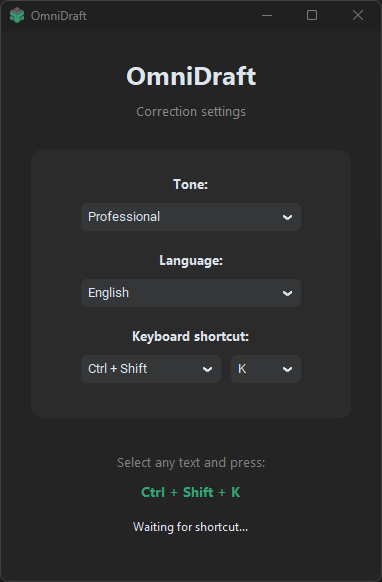
OmniDraft Settings Interface

Key Features

Everything you need to write better, integrated directly into your system.

Time Saving

Correct and translate your texts in seconds. No copying and pasting between applications, no interrupting your workflow.

Native Integration

Works in any application on your system. Word processors, browsers, email, messaging, and more.

Smart Formatting

Keeps the original format of your text. Respects capitalization, punctuation, and structure while improving the content.

How it works

In just three steps, transform any text without interrupting your work.

01

Select the text

Select any text in any application on your computer.

02

Keyboard shortcut

Press the configured shortcut to activate OmniDraft instantly.

03

Correct / Translate

Choose the action: correct, translate, or improve. The result is applied instantly.

Beta Program

Looking for Early Adopters

OmniDraft is in Beta phase. Currently the service is free for those who help us improve, but this offer will be temporary before the premium version launch.

Early access
Priority support